
This chapter is thirty seconds of the thing every owner actually wants: the job’s true position, on one screen, while there’s still time to do something about it.
Chapter 5 of 8 · 0:27 · the full walkthrough unlocks with one form, once.
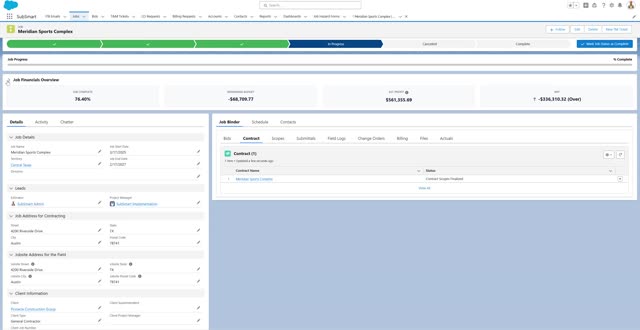
Once the job is won, the job page shows performance at a glance — how actuals stack up against the budgets set at bid time, with profitability visible down to the divisional level in a click. The example on screen is the honest kind: a job sitting at 81% complete but 118% of budget. On a spreadsheet, that surfaces at month-end — if the spreadsheet is current. Here it’s just what the job page says, every day.
Once we win the job, at a glance we can see job performance, including how our actuals stack up against budgets. With a simple click, see our profitability down to a divisional level. Here we can see that we are over budget — only 81 percent complete with this job, and 118 percent of budget.